Thinking about switching from Klara or comparing options as your practice grows? You are not alone. Klara is popular for HIPAA-secure texting, web chat, broadcasts and voicemail transcription that cut phone tags. But once you add more providers or locations, many teams want a true unified inbox, deeper AI automations for recalls and reviews, clearer analytics/ROI or bundled capabilities like text-to-pay and phones/VoIP. This is where alternatives come in.
This shift is closely tied to how patients now prefer to interact with providers. According to Pew Research, over 80% of adults in the U.S. own a smartphone, which has significantly increased expectations for fast, mobile-first communication. This includes texting, messaging, and realtime responses from service providers like healthcare practices.
In this guide, we will quickly outline what Klara is and where it shines, why practices look for competitors and then compare top 9 Klara alternatives. For each, you will learn about what it does, best for, key features, pros, cons, pricing and real customer reviews from G2, Capterra, Gartner and Reddit.
Klara is a HIPAA-secure patient communication platform that turns phone tags into digital conversations. It centralizes two-way messaging, website chat, call-to-text and voicemail transcription. This way the staff can triage and reply faster from one place. It also supports automated SMS reminders, broadcasts, digital intake and video visits with integrations that can push key message data back into your EHR to reduce double entry.
Klara operates within ModMed after being acquired on February 8, 2022, and continues to emphasize pre-visit outreach and streamline messaging across the patient journey.
Practices that want compliant texting and web chat with practical add-ons and a path to EHR connectivity, can use this platform.
| Pros: | Cons: |
|---|---|
| Cuts phone tag with secure texting and web chat; centralizes messaging into one inbox for faster replies | Pricing is not transparent; most plans are quote-based which can be hard for smaller clinics to budget |
| Call-to-Text and voicemail transcription save staff time and improve triage | Occasional glitches or intake workflow issues reported during rollout |
| Pre-visit automations reduce no-shows through reminders, follow-ups, and broadcasts | Inbox threads can become messy or noisy without strong internal processes |
| EHR connectivity and integrations |
Transcribed voicemails… save me so much time. Capterra
Easy to assist patients in scheduling… and obtain insurance cards ahead of time. Capterra
Answers calls, sends reminders and automated forms… communicate effectively with our patients. Capterra
So easy to use, it simplifies your life. Capterra
The price is kinda high… can’t share images between Klara and our EMR. Capterra
Intake… a complete bust. System errors; speed of support issues. Capterra
Can become confusing… messages in several different mailboxes. Capterra
Self-scheduling go-live delayed… communication has been pretty sparse. Capterra
Need a true unified inbox. Teams want SMS, website chat, Google Business Messages, Facebook/Instagram DMs, and email in one place so no leads slip through the cracks.
Deeper automation & AI. Beyond reminders and broadcasts, many clinics want AI-driven re-engagement, intent-aware auto-replies, smart routing and multi-step campaigns.
Phones + messaging together. Some front desks prefer one vendor for VoIP phones, texting, reminders and payments to simplify training & support.
Stronger scheduling & intake. Self-serve booking with rules, smart waitlists, eligibility checks and flexible, DIY forms without back-and-forth.
Payments inside messaging. Text-to-pay, deposits, estimates and balance nudges to shorten the revenue cycle.
Richer analytics & ROI. Out-of-the-box dashboards for response times, review velocity, conversion from chat to appointment and staff workload.
Multi-location control. Centralized templates, role-based permissions, location roll-ups, and standardized workflows for DSOs and group practices.
Broader or deeper integrations. Bi-directional EHR/PMS sync, phone systems, CRM/marketing platforms and data warehouses without custom work.
Customization + brand. Fine-grained templates, conditional logic and branding control to match your patient journey.
Pricing & support expectations. Transparent tiers, predictable per-location costs, fast SLAs and guided onboarding as you scale.
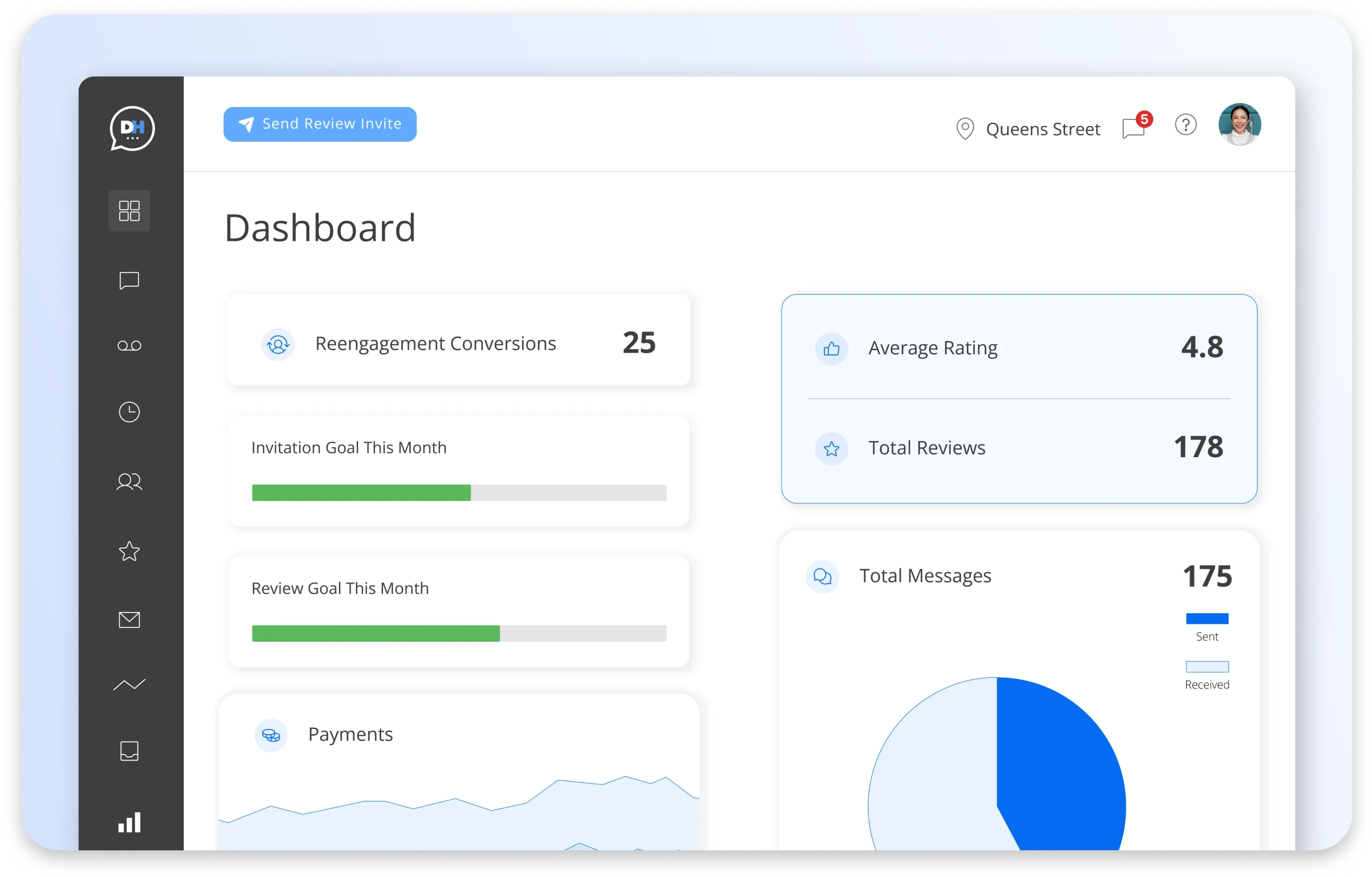
What it does: DemandHub is an AI-powered patient engagement hub with a true unified inbox for SMS, website chat, Google Business Messages, Facebook/Instagram DMs, and email. It also automates reviews, online scheduling, and text-to-pay, and turns web chats into text so your team can capture and route more leads without juggling tools.
Best for: Clinics that want all conversations in one place, faster review growth and minimal admin.
Key features
Unified inbox (SMS, web chat, Google, FB/IG, email)
AI follow-ups, re-engagement, missed-lead workflows
Online scheduling + booking links
Text-to-pay, deposits and estimates
Lead Manager, Team Chat, analytics/insights
| Pros: | Cons: |
|---|---|
| Easy to adopt with quick onboarding | EHR/PMS integrations are expanding but depth varies by system |
| Excellent review acceleration and lead capture | Not a VoIP phone system; designed to pair with existing phones |
| Strong value for the overall feature set |
Pricing: Starts from $59/ month
REAL customer feedback:
Here is what people say about DemandHub:
Demandhub provides a single point of contact for reaching out users across multiple channels such as Email, Sms, Whatsapp, social media etc. One feature which stands out is asking users to rate our services on google platforms. This has helped us in improving our ratings. - Source (Gartner)
We love how the chatbot chat turns into a text message thread so the client does not need to stay on our website in order to get their questions answered or appointments booked! Customer support is really responsive and helpful. - Source (G2)
Great customer experience and they were very patient with walking me through the onboarding process and usage. Has all the tools I need. - Source (Capterra)
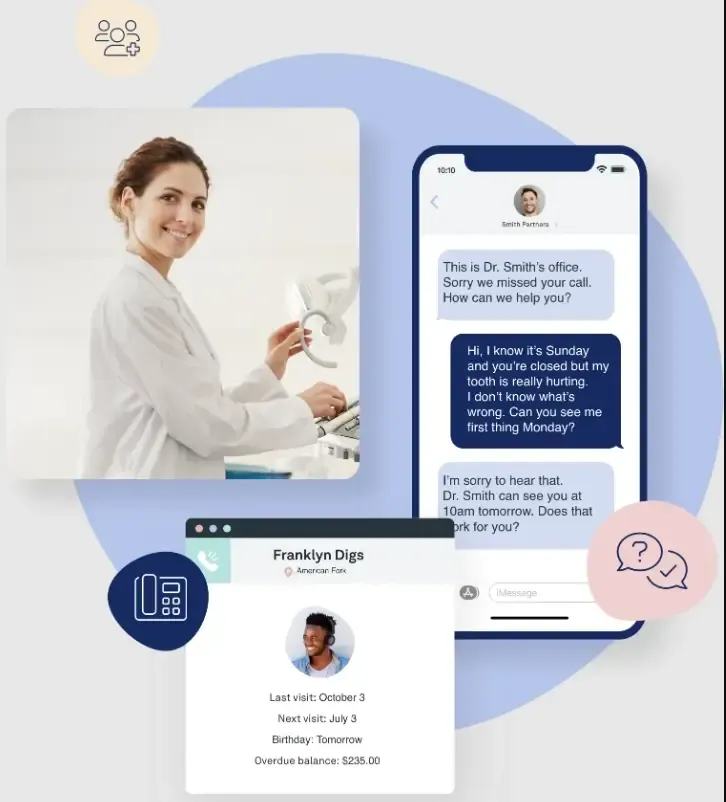
What it does: Weave bundles cloud phones (VoIP) with two-way texting, missed-call text, reminders, digital forms, and text-to-pay. Call analytics and caller context help front desks respond faster and keep schedules full.
Best for: Practices that want phones and messaging from a single vendor.
Key features
VoIP + SMS with missed-call text and voicemail transcription
Smart reminders and digital forms
Text-to-pay and payment plans
Call analytics, caller ID pop, mobile/desktop apps
| Pros: | Cons: |
|---|---|
| Phones, texting, and payments combined in one platform | Premium pricing compared to messaging-only tools |
| Helpful call insights and missed-call capture tools | VoIP quality can vary with network conditions; some features add cost |
Pricing: Typically higher tier; quote-based by bundle/users/locations.
REAL Customer Feedback:
Here is what people say about Weave:
Constantly loses connection with our server, creating errors with auto messaging to patients. Support is useless. I have had three phone calls with a combined 6 hours over the past 2 days and the most recent issue is not resolved (my request was simply to ask why some patients weren’t getting 3 day confirmation reminders and others were. One rep promised to call back with an answer and instead emailed me how to be 10DLC compliant - this was not the issue, which another rep confirmed. The issue still persists). There is a new “glitch” literally every week that requires a new phone call and days to fix (with no actual fix). - Source (G2)
Very negative. We had 2 locations with weave and acquired a third. That location already had an existing weave account so we just needed to transfer the ownership and set up the same features. It is a month and a half later and it still doesn’t work. My so-called account representative [sensitive content hidden] is unreachable and does nothing. We are now looking to switch all of our locations to a different provider. - Source (Software Advice)
In the past 2 years customer service is all but non-existent. The system is heavily glitchy. Voice messages and calls are inconsistently recorded. Not a dependable product especially in the last year. - Source (Capterra)
Related: Top Weave Alternatives for Your Business in 2026
What it does:
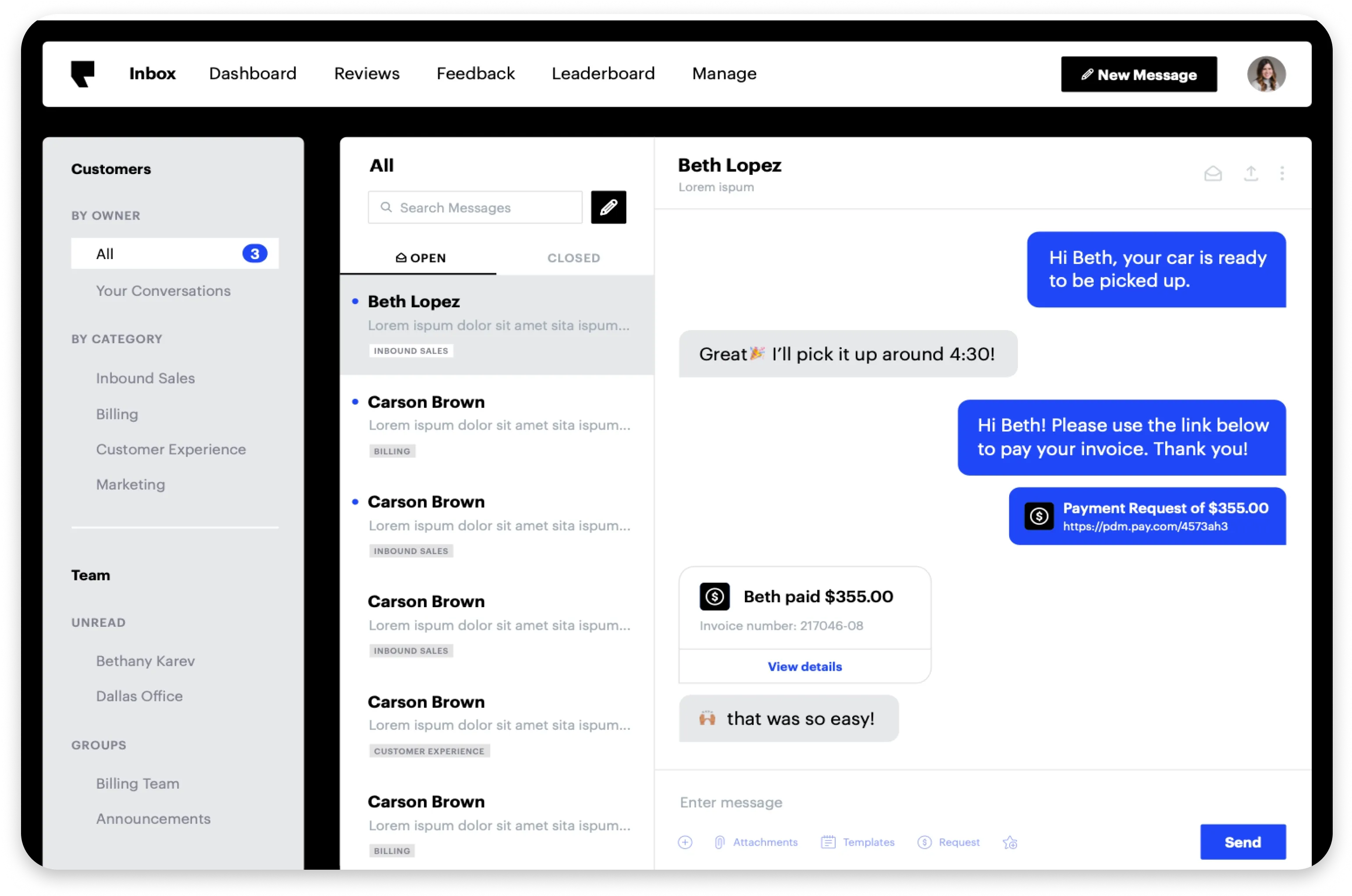
Podium is a reputation-first messaging platform that drives more Google reviews, converts website visitors via web chat to text, and streamlines follow-ups with SMS payments and quick replies.
Best for:
Teams laser-focused on review velocity and lead conversion.
Key features:
| Pros: | Cons: |
|---|---|
| Best-in-class review growth engine | Premium pricing for smaller clinics |
| Simple, high-converting flows for inbound leads | Healthcare-specific workflows are lighter than specialty tools |
Pricing: Mid-to-high tier; plan/quote-based.
REAL Customer Feedback:
Here is what people say about Podium:
It’s so expensive for very little. The “support” person changes all the time. The salesman drops you and won’t answer emails after he hooks you. They offer amazon gift cards instead of actual rebates (because Amazon gift cards will pay my bills…) - Source (G2)
Podium is still very much a product in development and not suited for mid-sized businesses (it may work for a small business or corner shop). The tech support is virtually non-existent. [sensitive content hidden], the sales rep promised the world just to close the deal but clearly didn’t understand his own product. After investing 100+ development hours in just 30 days, we were left completely on our own. Even after sending a cancellation notice for phone lines, they insisted we cancel Dialpad, claiming Podium had the same level of functionality and support - which it does not. Bottom line: do not trust their promises. Do your own research before investing your time and money here. - Source (Software Advice)
Customer service was non-existent. They don’t care about customers. - Source (Capterra)
Constantly changing representatives, support never followed up with anything, they took forever to integrate with my POS system, and they changed their offering after I had been using them for years. Several years of use and they now do not want to do business with a firearms company. Further this shows they will just turn off your account and leave you unable to use anything including your phone systems if you integrate with them completely. Do not use them! They will change their policies and give you 10 days to leave their platform before turning you off. They just want to take your money and leave you high and dry when you need support or service. - Source (G2)
Related: Top Podium Alternatives for Your Business in 2026
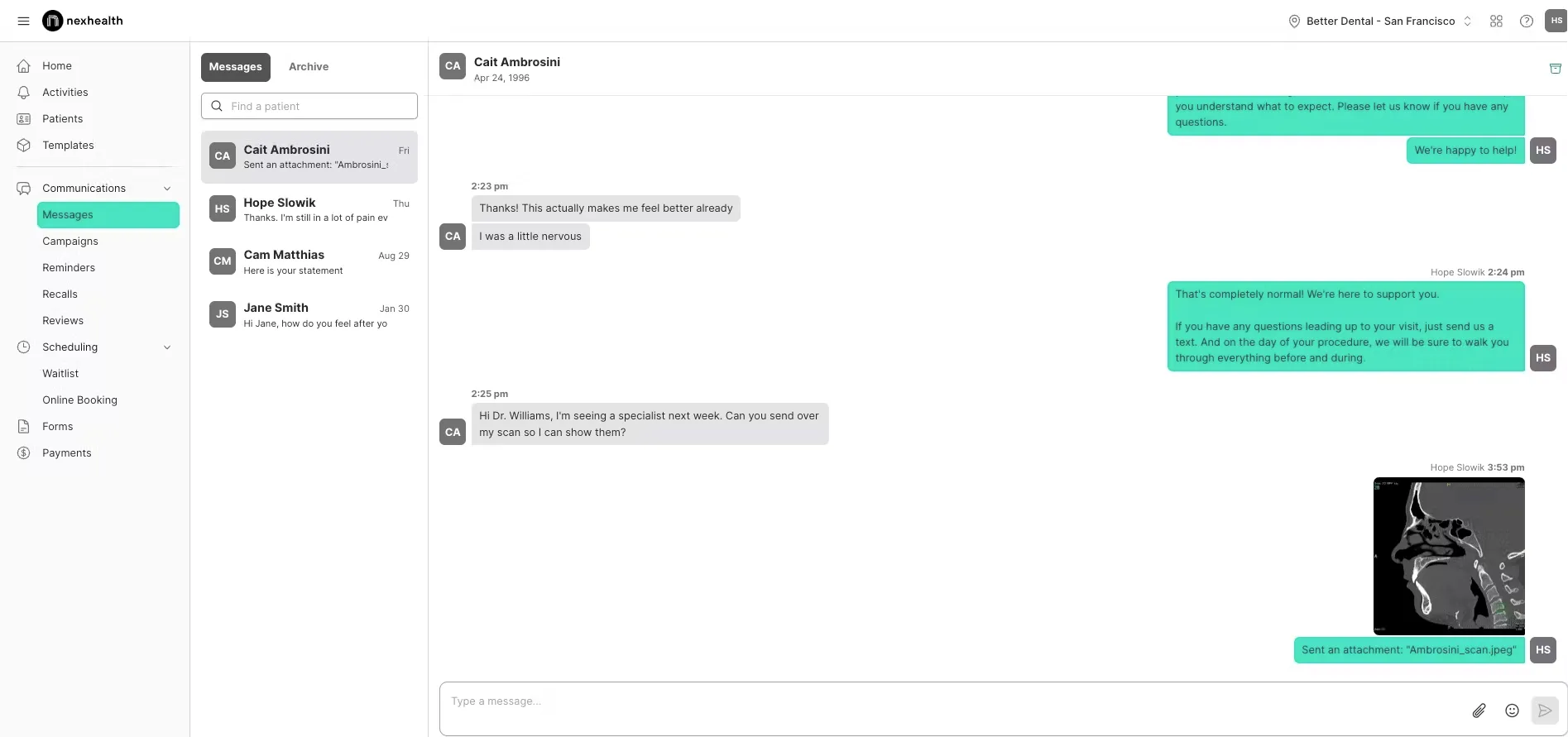
What it does: NexHealth is a patient-experience layer with real-time, bi-directional EHR/PMS sync. It enables true self-scheduling, digital forms, automated reminders/recalls, payments, and eligibility checks in one flow to reduce double entry.
Best for: Practices that want click-to-book tied to chart data.
Key features
Self-scheduling with rules + smart waitlist
Digital intake/forms and automated reminders
Payments + insurance eligibility
Real-time write-back with supported systems
| Pros: | Cons: |
|---|---|
| Deep integrations reduce manual work | Premium per-provider pricing |
| Smooth booking and intake experience for patients | Customization limits reported in some workflows |
REAL Customer Feedback:
Here is what people say about NexHealth.
“High Pricing. Slow Sync Between EHR Calendar and NexHealth online scheduling.” - G2
“They make changes without adequate/any notification. They change workflow and functionality on the fly and expect the office to adapt. They placate, but do not listen to customers. LIMITED support hours. WEST coast centric mentality - east coast starts at 8am, but west coast support starts at 5am so they can fix issues before they impact the day.” - Capterra
Here is the reddit thread someone posted about the company.
Related: Top NexHealth Alternatives for Your Business in 2026
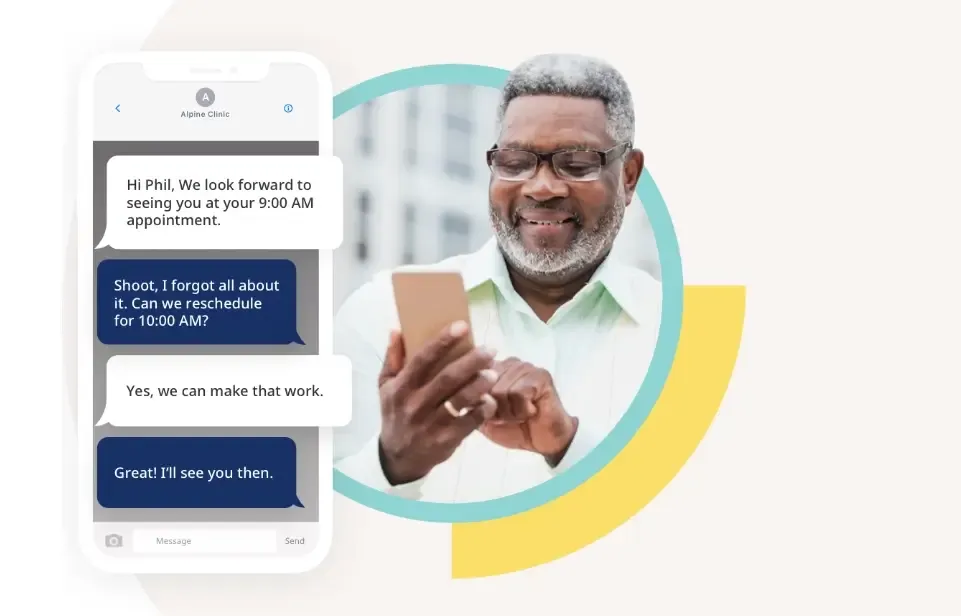
What it does: Solutionreach is a broad patient-engagement suite covering multi-channel reminders (SMS/email/voice), two-way texting, digital intake, surveys/newsletters and batch campaigns to standardize outreach across locations.
Best for: Mid-to-large groups that need campaigns, education and multi-channel communication at scale.
Key features
Reminders/recalls across SMS, email and voice
Two-way texting + broadcast/batch messaging
Digital forms and patient education content
Surveys, newsletters, list-based outreach
| Pros: | Cons: |
|---|---|
| Feature breadth for most engagement needs | UI can feel dated vs. newer tools |
| Mature footprint in healthcare | Setup and packaging can be complex |
REAL Customer Feedback:
Here is what people say about Solutionreach.
“The platform’s underdevelopment led to frequent issues requiring assistance. While support was accessible, solving a single task often took hours and representatives seemed ill-equipped, offering generic articles that didn’t address my concerns.” - FindEMR
“Overpriced and basic - competitor products are significantly superior. Also, customer service was terrible.” - G2
“Recommend you work with a reputable company who honors the assurances of their sales staff. We trusted the sales rep. Big mistake” - Software Advice
“BUYER BEWARE. YOU HAVE BEEN WARNED. We detrimentally relied on assurances by the sales rep [sensitive content hidden] that we could cancel at any time. I specifically discussed Solution Reach’s reputation for pulling this exact tactic—guess what? They pulled it on us as well. I highly recommend you consider other options. They did not honor his assurances. His Contacts Manager, [sensitive content hidden], dismissed my experience with the company and basically told me tough luck. In my experience and in my opinion, this is not a reputable company to contract with. If they treat medical doctors this way, don’t expect to be treated any better. Steer clear.” - Capterra
Related: Top Solutionreach Alternatives for Your Business in 2026
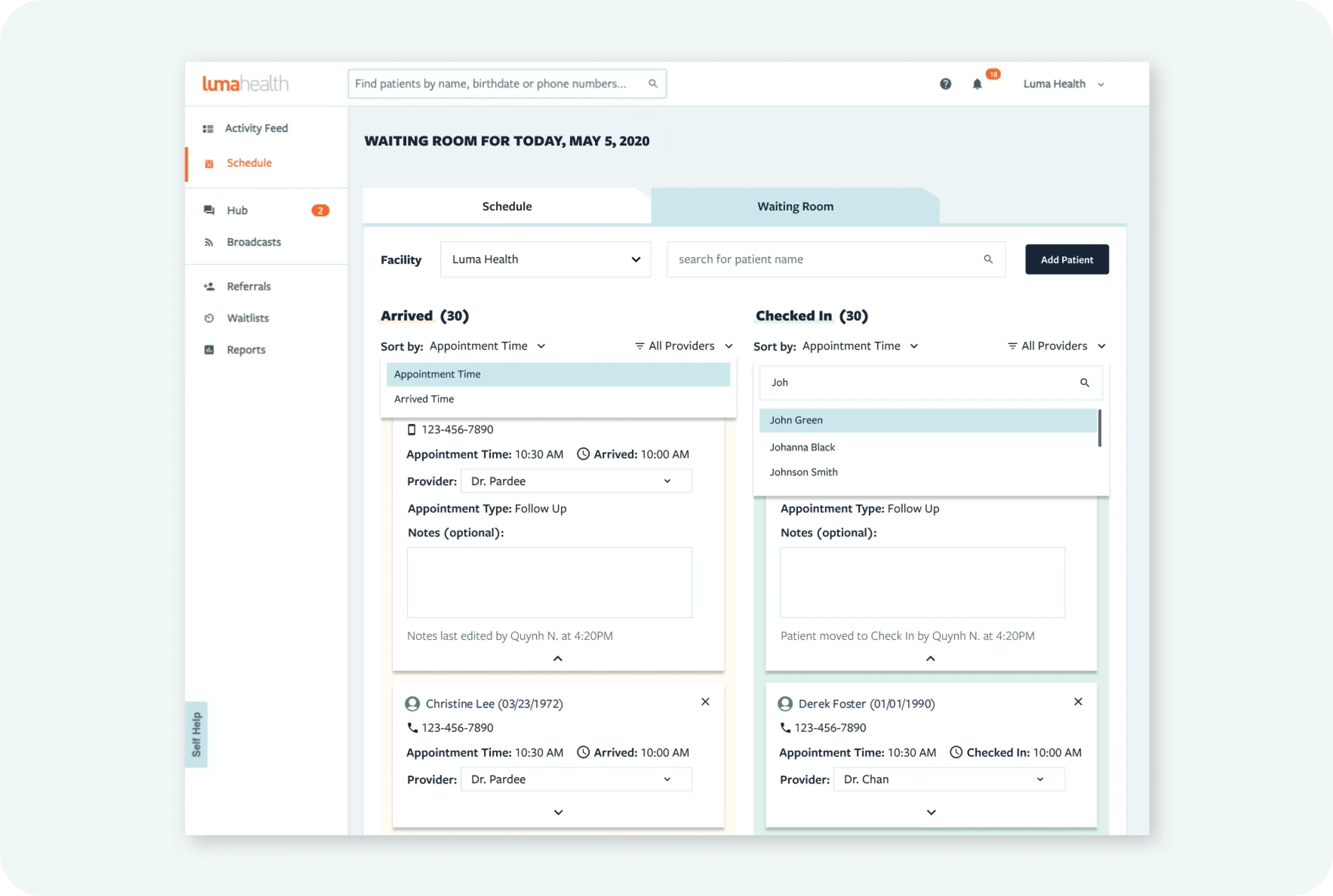
What it does: Luma Health is an AI-native access and engagement platform that automates referrals, recalls, smart waitlist offers, broadcast messaging, digital intake, eligibility checks, and patient payments with robust analytics and deep EHR integrations for larger organizations.
Best for: Multi-site groups and specialties that need enterprise-grade automation and routing at scale.
Key features
AI scheduling and actionable reminders
Smart waitlist to backfill cancellations
Broadcast messaging and multilingual support
Digital intake, eligibility and payments
Advanced analytics; major EHR integrations
| Pros: | Cons: |
|---|---|
| Powerful automation at scale | Heavier implementation and learning curve |
| Strong EHR connectivity and governance controls | Quote-based pricing; best value at larger orgs |
Pricing: Enterprise/custom.
REAL Customer Reviews:
Here is what people say about Luma Health.
“The constant changes of my account representatives really made it difficult to build relationships. Over time Luma’s account representatives stopped contacting the practice and as result we had to figure out solutions on our own. Additionally, they changed their payment terms to where if we didn’t pay them upfront then they would drop us as a customer.” - Capterra
“Constantly have to refresh to view new messages, receiver does not receive any links that are sent ever, when using multiple systems, you do not get any alert to notify you there is a new message so you have to constantly check and refresh” - G2
“The fact that the team hid from us the lack of integration with our EMR until very late in the process.” - Capterra
Related: Top Luma Health Alternatives for Your Business in 2026
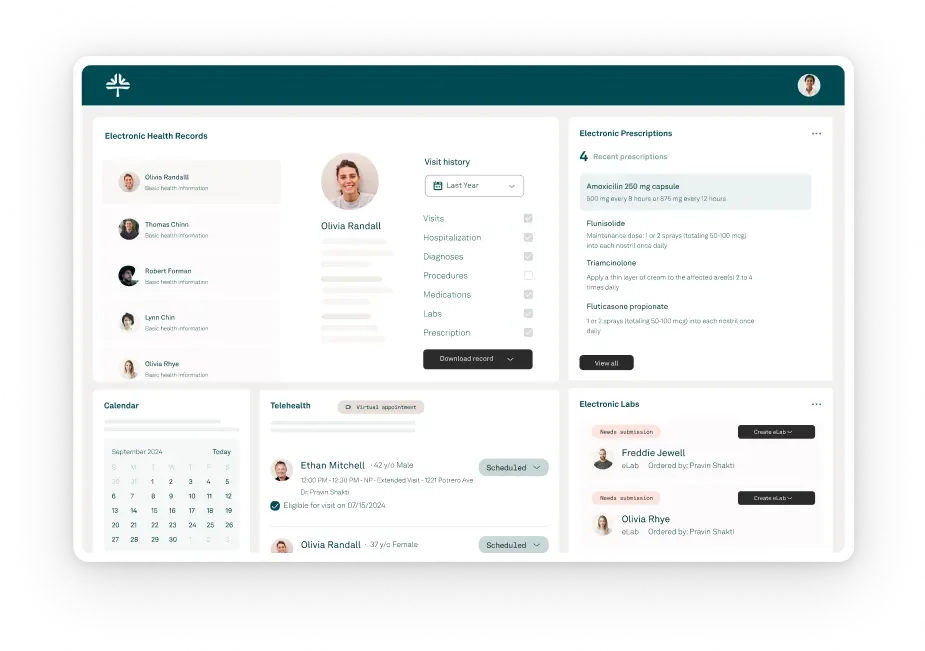
What it does: Tebra connects EHR + billing + patient experience + marketing (websites/SEO) so independent clinics can run care delivery and growth from one stack to scheduling, charting, claims, reviews, campaigns, portal and telehealth included.
Best for: Practices that want fewer vendors and integrated reporting across clinical and front-office workflows.
Key features
EHR with eRx/eLabs and templates
Scheduling, reminders, reviews, patient portal
Billing and claims management
Website/SEO tools and listings
Telehealth and basic marketing automation
| Pros: | Cons: |
|---|---|
| End-to-end visibility across ops and growth | Onboarding complexity |
| Reduces vendor sprawl and data silos | Higher total cost if you don’t use the full suite |
Pricing: Mid-to-high; module-based quotes.
REAL Customer Feedback:
Here is what people say about Tebra.
“They stole over 20k. They recommended a shady untrustworthy biller. Everything was a lieThere isn’t enough room for all the terrible things I have to say about these shady people.” - Capterra
“POOR. I do not recommend even considering buying this product.” Software Advice
“Poor customer service and lack of support.” - G2
Related: Top Tebra Alternatives for Your Business in 2026
What it does:
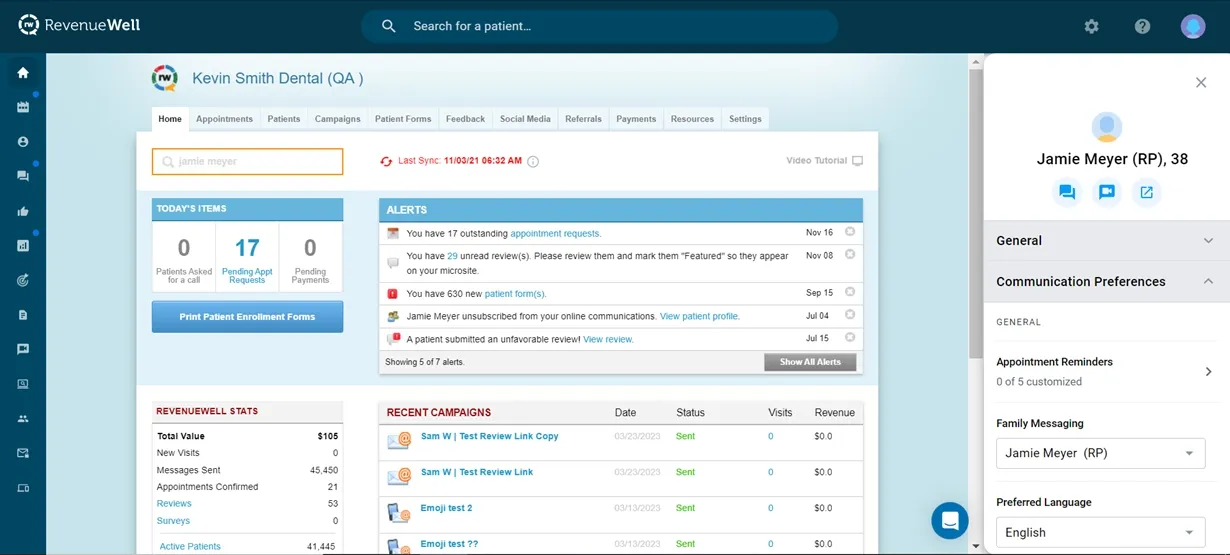
RevenueWell is dental-specific engagement: automated reminders/recalls, newsletters, reputation management, social tools, and a patient portal that is built to keep hygiene schedules full and increase case acceptance.
Best for:
Dental teams that prioritize recall/reactivation and marketing templates tailored to dentistry.
Key features
Continuing-care recalls and confirmations
Email campaigns, post-op messages, and surveys
Review requests and social posting
Digital forms and patient portal
Add-ons for phones/teledentistry (varies)
| Pros: | Cons: |
|---|---|
| Dental workflows and content out of the box | Primarily dental; lighter beyond that specialty |
| Proven recall and reactivation programs | Customization/integration depth varies by PMS |
Pricing: Mid-tier; quote-based.
REAL Customer Feedback:
Here is what people say about RevenueWell:
Customer support was not the greatest when we were with them and took a long time for them to stop billing me once we cancelled. Source (G2)
Terrible experience. Revenuewell is the worst company I have ever worked with in my 24 years of practice. Run from this company, it will save you money and loss of sleep. - Source (Software Advice)
Poor. In the end we became quite unhappy with how convoluted the service was and with the lack of help. The final straw came when we could not reach the customer device through any method and when we finally managed to be routed to the seemingly correct department they transferred us again to a random dental office’s voicemail. - Source (Capterra)
Related: Top RevenueWell Alternatives for Your Business in 2026
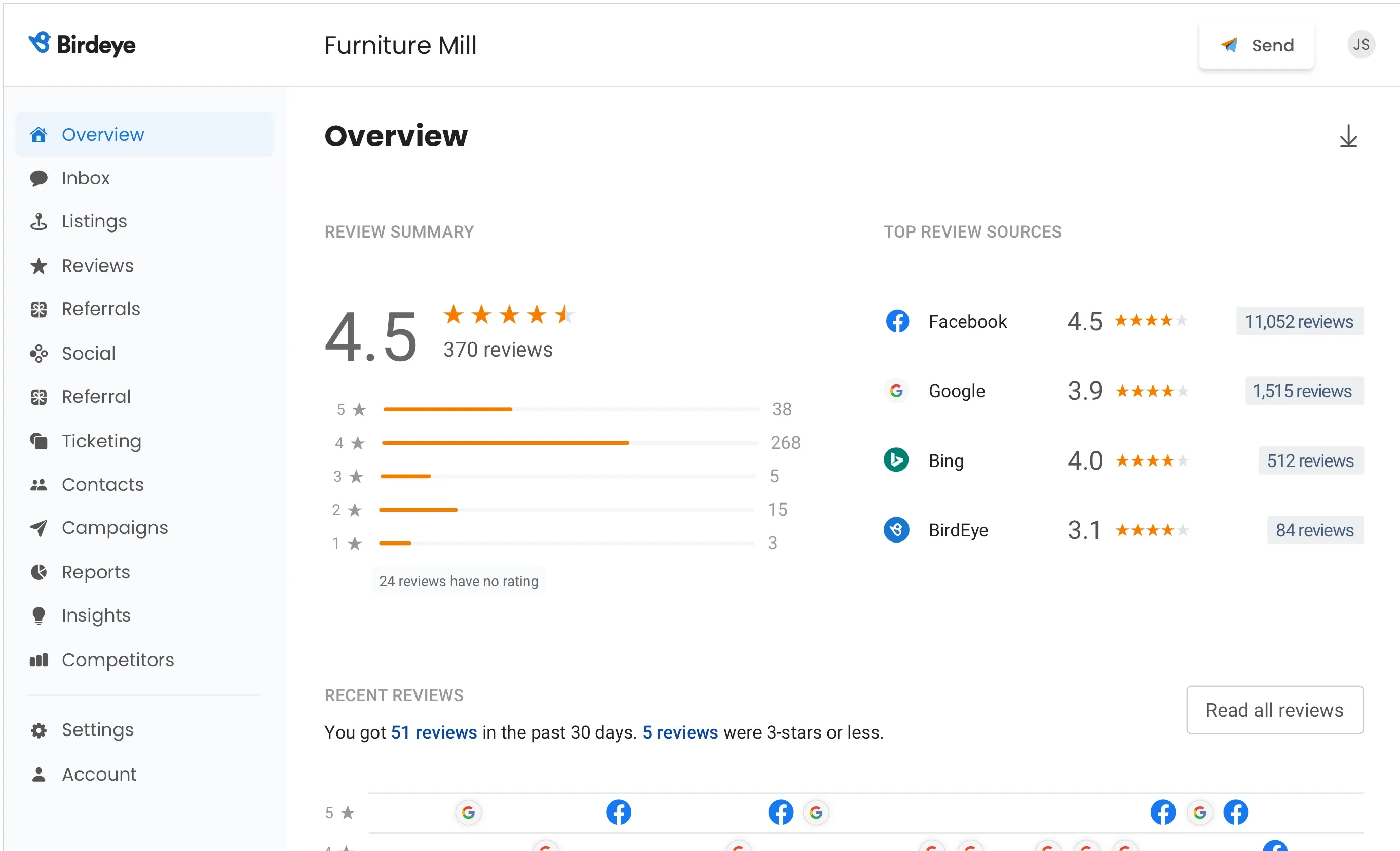
What it does: Birdeye is a listings, reviews and messaging platform that boosts local SEO and conversion. It syncs business listings, accelerates review generation, powers web chat to text, supports surveys, text-to-pay and centralizes conversations.
Best for: Practices focused on presence management, review velocity and straightforward inbound messaging across locations.
Key features
Listings sync/monitoring across directories
Review requests, auto-responses and reports
Web chat that hands off to SMS
Messaging inbox, surveys and payments
Location management and basic automations
| Pros: | Cons: |
|---|---|
| Excellent listings coverage and review tooling | Premium pricing |
| Clean web chat and reporting | Lighter healthcare-specific workflows |
Pricing: Quote-based; per-location packages.
REAL Customer Feedback:
Here is what people say about BirdEye.
“The lack of customer service made it seem like you couldn’t get a word and all they did was talk, never really nothing and I had several conversations about changing some plans. It seems like they were so money driven and impossible to cancel.” - Capterra
“Literally THE WORST company I have dealt with in over 30 years as an attorney. I cannot stress enough how awful my experience was with Birdeye. Spent months dealing with ineptitude on all levels of their “service”. There was the inability to set meetings with them, spent over $4,000 with them and they got less than 5 reviews in 12 months of working with them, despite my having thousands of clients, LinkedIn contacts & friends on Facebook. Then when I tried to terminate the relationship they refused and maintained that I couldn’t because they don’t cancel contracts, even though as an attorney, I know this to be false. You will be locked into a 12 month contract and you won’t be able to get out of the contract no matter the fact that they failed to deliver on their end of the agreement. BUYER BEWARE.” - G2
“Terrible Terrible company. Outdated and forced you into a long term commitment. Even when that commitment is over and you try to cancel, nobody is available to talk to. You schedule online meetings using THEIR calendar to speak to someone and they don’t show up. Probably the worst company I have ever dealt with. Do yourself a favour, pay a consultant a couple of dollars to set up a custom integration like Birdeye for your business and you will be much much happier.” - Capterra
Here is the reddit thread you can read before you go for BirdEye.
Related: Top BirdEye Alternatives for Your Business in 2026
Best For: All-in-one conversations + fast reviews
Unified Inbox: SMS, Web Chat, Google, FB/IG, Email
Reviews: Excellent
Scheduling: Yes
Payments: Yes
Phones/VoIP: No
Forms & Intake: Yes
EHR/PMS Integration: Broad support
Notable Strength: AI follow-ups + web-chat → text conversion
Best For: Secure texting + web chat
Unified Inbox: SMS + Web Chat (no social/email)
Reviews: Basic
Scheduling: Yes
Payments: Basic
Phones/VoIP: No
Forms & Intake: Yes
EHR/PMS Integration: Broad; chart export
Notable Strength: Call-to-Text + voicemail transcription
Best For: Phones + texting in one platform
Unified Inbox: SMS + Web features
Reviews: Strong
Scheduling: Yes
Payments: Yes
Phones/VoIP: Yes
Forms & Intake: Yes
EHR/PMS Integration: Moderate
Notable Strength: VoIP + analytics + missed-call texts
Best For: Review velocity + lead conversion
Unified Inbox: SMS + Web Chat
Reviews: Excellent
Scheduling: Requests/links
Payments: Yes
Phones/VoIP: No
Forms & Intake: Basic
EHR/PMS Integration: Light
Notable Strength: Reviews & inbound conversion
Best For: Self-scheduling tied to chart data
Unified Inbox: SMS/Email
Reviews: Strong
Scheduling: Self-scheduling
Payments: Yes
Phones/VoIP: No
Forms & Intake: Yes
EHR/PMS Integration: Deep (bi-directional)
Notable Strength: Real-time EHR sync
Best For: Multi-channel outreach at scale
Unified Inbox: SMS/Email/Voice
Reviews: Strong
Scheduling: Good
Payments: Limited
Phones/VoIP: No
Forms & Intake: Yes
EHR/PMS Integration: Moderate
Notable Strength: Campaigns, newsletters, education
Best For: Enterprise-grade automation
Unified Inbox: SMS/Broadcast
Reviews: Strong
Scheduling: AI scheduling
Payments: Yes
Phones/VoIP: No
Forms & Intake: Yes
EHR/PMS Integration: Deep (major EHRs)
Notable Strength: Smart waitlists & orchestration
Best For: All-in-one ops + growth
Unified Inbox: SMS/Email
Reviews: Strong
Scheduling: Yes
Payments: Yes
Phones/VoIP: No
Forms & Intake: Yes
EHR/PMS Integration: Deep (own stack)
Notable Strength: EHR + billing + PX + marketing
Best For: Dental recall + marketing
Unified Inbox: SMS/Email
Reviews: Strong
Scheduling: Good
Payments: Limited
Phones/VoIP: Optional add-on
Forms & Intake: Yes
EHR/PMS Integration: Moderate (dental)
Notable Strength: Dental-specific templates
Best For: Listings + reviews + presence
Unified Inbox: SMS + Web Chat
Reviews: Excellent
Scheduling: Requests/links
Payments: Yes
Phones/VoIP: No
Forms & Intake: Basic
EHR/PMS Integration: Light–Moderate
Notable Strength: Listings sync + local SEO lift
If you need one inbox for everything like SMS, web chat, Google, FB/IG, email, review generation and management, then DemandHub would be a best fit.
Book a demo to see it in action.
Switching platforms might sound overwhelming, but with the right support, it can be smooth and stress-free. Here’s how the transition from Klara to DemandHub typically works:
Start by scheduling a personalized demo with the DemandHub team. They will walk you through the platform, answer your questions, and show how it can fit your workflow better than Klara especially around a unified inbox, reviews, scheduling, and text-to-pay.
Once you decide to make the move, DemandHub creates a tailored onboarding plan for your practice. This usually includes setting up:
DemandHub’s support team can help you migrate key data (contacts, segments, review history) depending on what Klara allows for export. They will ensure opt-in/opt-out status and other compliance details are preserved.
Because DemandHub is easy to use, most teams get up to speed fast. You’ll get short training sessions, saved-reply templates, and best-practice playbooks for handling inquiries, reviews, and payments from one screen.
When everything is set, you can go live with DemandHub and immediately start reducing no-shows, collecting more reviews, capturing more web/social leads, and speeding up payments.
Thinking about making the switch?
Book your free demo to DemandHub and see how it compares to Klara for your practice.
Thinking about switching from Klara or comparing options as your practice grows? You are not alone. Klara is popular for HIPAA-secure texting, web chat, broadcasts and voicemail transcription that cut phone tags. But once you add more providers or locations, many teams want a true unified inbox, deeper AI automations for recalls and reviews, clearer analytics/ROI or bundled capabilities like text-to-pay and phones/VoIP. This is where alternatives come in.
This shift is closely tied to how patients now prefer to interact with providers. According to Pew Research, over 80% of adults in the U.S. own a smartphone, which has significantly increased expectations for fast, mobile-first communication. This includes texting, messaging, and realtime responses from service providers like healthcare practices.
In this guide, we will quickly outline what Klara is and where it shines, why practices look for competitors and then compare top 9 Klara alternatives. For each, you will learn about what it does, best for, key features, pros, cons, pricing and real customer reviews from G2, Capterra, Gartner and Reddit.
Klara is a HIPAA-secure patient communication platform that turns phone tags into digital conversations. It centralizes two-way messaging, website chat, call-to-text and voicemail transcription. This way the staff can triage and reply faster from one place. It also supports automated SMS reminders, broadcasts, digital intake and video visits with integrations that can push key message data back into your EHR to reduce double entry.
Klara operates within ModMed after being acquired on February 8, 2022, and continues to emphasize pre-visit outreach and streamline messaging across the patient journey.
Practices that want compliant texting and web chat with practical add-ons and a path to EHR connectivity, can use this platform.
| Pros: | Cons: |
|---|---|
| Cuts phone tag with secure texting and web chat; centralizes messaging into one inbox for faster replies | Pricing is not transparent; most plans are quote-based which can be hard for smaller clinics to budget |
| Call-to-Text and voicemail transcription save staff time and improve triage | Occasional glitches or intake workflow issues reported during rollout |
| Pre-visit automations reduce no-shows through reminders, follow-ups, and broadcasts | Inbox threads can become messy or noisy without strong internal processes |
| EHR connectivity and integrations |
Transcribed voicemails… save me so much time. Capterra
Easy to assist patients in scheduling… and obtain insurance cards ahead of time. Capterra
Answers calls, sends reminders and automated forms… communicate effectively with our patients. Capterra
So easy to use, it simplifies your life. Capterra
The price is kinda high… can’t share images between Klara and our EMR. Capterra
Intake… a complete bust. System errors; speed of support issues. Capterra
Can become confusing… messages in several different mailboxes. Capterra
Self-scheduling go-live delayed… communication has been pretty sparse. Capterra
Need a true unified inbox. Teams want SMS, website chat, Google Business Messages, Facebook/Instagram DMs, and email in one place so no leads slip through the cracks.
Deeper automation & AI. Beyond reminders and broadcasts, many clinics want AI-driven re-engagement, intent-aware auto-replies, smart routing and multi-step campaigns.
Phones + messaging together. Some front desks prefer one vendor for VoIP phones, texting, reminders and payments to simplify training & support.
Stronger scheduling & intake. Self-serve booking with rules, smart waitlists, eligibility checks and flexible, DIY forms without back-and-forth.
Payments inside messaging. Text-to-pay, deposits, estimates and balance nudges to shorten the revenue cycle.
Richer analytics & ROI. Out-of-the-box dashboards for response times, review velocity, conversion from chat to appointment and staff workload.
Multi-location control. Centralized templates, role-based permissions, location roll-ups, and standardized workflows for DSOs and group practices.
Broader or deeper integrations. Bi-directional EHR/PMS sync, phone systems, CRM/marketing platforms and data warehouses without custom work.
Customization + brand. Fine-grained templates, conditional logic and branding control to match your patient journey.
Pricing & support expectations. Transparent tiers, predictable per-location costs, fast SLAs and guided onboarding as you scale.
What it does: DemandHub is an AI-powered patient engagement hub with a true unified inbox for SMS, website chat, Google Business Messages, Facebook/Instagram DMs, and email. It also automates reviews, online scheduling, and text-to-pay, and turns web chats into text so your team can capture and route more leads without juggling tools.
Best for: Clinics that want all conversations in one place, faster review growth and minimal admin.
Key features
Unified inbox (SMS, web chat, Google, FB/IG, email)
AI follow-ups, re-engagement, missed-lead workflows
Online scheduling + booking links
Text-to-pay, deposits and estimates
Lead Manager, Team Chat, analytics/insights
| Pros: | Cons: |
|---|---|
| Easy to adopt with quick onboarding | EHR/PMS integrations are expanding but depth varies by system |
| Excellent review acceleration and lead capture | Not a VoIP phone system; designed to pair with existing phones |
| Strong value for the overall feature set |
Pricing: Starts from $59/ month
REAL customer feedback:
Here is what people say about DemandHub:
Demandhub provides a single point of contact for reaching out users across multiple channels such as Email, Sms, Whatsapp, social media etc. One feature which stands out is asking users to rate our services on google platforms. This has helped us in improving our ratings. - Source (Gartner)
We love how the chatbot chat turns into a text message thread so the client does not need to stay on our website in order to get their questions answered or appointments booked! Customer support is really responsive and helpful. - Source (G2)
Great customer experience and they were very patient with walking me through the onboarding process and usage. Has all the tools I need. - Source (Capterra)
What it does: Weave bundles cloud phones (VoIP) with two-way texting, missed-call text, reminders, digital forms, and text-to-pay. Call analytics and caller context help front desks respond faster and keep schedules full.
Best for: Practices that want phones and messaging from a single vendor.
Key features
VoIP + SMS with missed-call text and voicemail transcription
Smart reminders and digital forms
Text-to-pay and payment plans
Call analytics, caller ID pop, mobile/desktop apps
| Pros: | Cons: |
|---|---|
| Phones, texting, and payments combined in one platform | Premium pricing compared to messaging-only tools |
| Helpful call insights and missed-call capture tools | VoIP quality can vary with network conditions; some features add cost |
Pricing: Typically higher tier; quote-based by bundle/users/locations.
REAL Customer Feedback:
Here is what people say about Weave:
Constantly loses connection with our server, creating errors with auto messaging to patients. Support is useless. I have had three phone calls with a combined 6 hours over the past 2 days and the most recent issue is not resolved (my request was simply to ask why some patients weren’t getting 3 day confirmation reminders and others were. One rep promised to call back with an answer and instead emailed me how to be 10DLC compliant - this was not the issue, which another rep confirmed. The issue still persists). There is a new “glitch” literally every week that requires a new phone call and days to fix (with no actual fix). - Source (G2)
Very negative. We had 2 locations with weave and acquired a third. That location already had an existing weave account so we just needed to transfer the ownership and set up the same features. It is a month and a half later and it still doesn’t work. My so-called account representative [sensitive content hidden] is unreachable and does nothing. We are now looking to switch all of our locations to a different provider. - Source (Software Advice)
In the past 2 years customer service is all but non-existent. The system is heavily glitchy. Voice messages and calls are inconsistently recorded. Not a dependable product especially in the last year. - Source (Capterra)
Related: Top Weave Alternatives for Your Business in 2026
What it does:
Podium is a reputation-first messaging platform that drives more Google reviews, converts website visitors via web chat to text, and streamlines follow-ups with SMS payments and quick replies.
Best for:
Teams laser-focused on review velocity and lead conversion.
Key features:
| Pros: | Cons: |
|---|---|
| Best-in-class review growth engine | Premium pricing for smaller clinics |
| Simple, high-converting flows for inbound leads | Healthcare-specific workflows are lighter than specialty tools |
Pricing: Mid-to-high tier; plan/quote-based.
REAL Customer Feedback:
Here is what people say about Podium:
It’s so expensive for very little. The “support” person changes all the time. The salesman drops you and won’t answer emails after he hooks you. They offer amazon gift cards instead of actual rebates (because Amazon gift cards will pay my bills…) - Source (G2)
Podium is still very much a product in development and not suited for mid-sized businesses (it may work for a small business or corner shop). The tech support is virtually non-existent. [sensitive content hidden], the sales rep promised the world just to close the deal but clearly didn’t understand his own product. After investing 100+ development hours in just 30 days, we were left completely on our own. Even after sending a cancellation notice for phone lines, they insisted we cancel Dialpad, claiming Podium had the same level of functionality and support - which it does not. Bottom line: do not trust their promises. Do your own research before investing your time and money here. - Source (Software Advice)
Customer service was non-existent. They don’t care about customers. - Source (Capterra)
Constantly changing representatives, support never followed up with anything, they took forever to integrate with my POS system, and they changed their offering after I had been using them for years. Several years of use and they now do not want to do business with a firearms company. Further this shows they will just turn off your account and leave you unable to use anything including your phone systems if you integrate with them completely. Do not use them! They will change their policies and give you 10 days to leave their platform before turning you off. They just want to take your money and leave you high and dry when you need support or service. - Source (G2)
Related: Top Podium Alternatives for Your Business in 2026
What it does: NexHealth is a patient-experience layer with real-time, bi-directional EHR/PMS sync. It enables true self-scheduling, digital forms, automated reminders/recalls, payments, and eligibility checks in one flow to reduce double entry.
Best for: Practices that want click-to-book tied to chart data.
Key features
Self-scheduling with rules + smart waitlist
Digital intake/forms and automated reminders
Payments + insurance eligibility
Real-time write-back with supported systems
| Pros: | Cons: |
|---|---|
| Deep integrations reduce manual work | Premium per-provider pricing |
| Smooth booking and intake experience for patients | Customization limits reported in some workflows |
REAL Customer Feedback:
Here is what people say about NexHealth.
“High Pricing. Slow Sync Between EHR Calendar and NexHealth online scheduling.” - G2
“They make changes without adequate/any notification. They change workflow and functionality on the fly and expect the office to adapt. They placate, but do not listen to customers. LIMITED support hours. WEST coast centric mentality - east coast starts at 8am, but west coast support starts at 5am so they can fix issues before they impact the day.” - Capterra
Here is the reddit thread someone posted about the company.
Related: Top NexHealth Alternatives for Your Business in 2026
What it does: Solutionreach is a broad patient-engagement suite covering multi-channel reminders (SMS/email/voice), two-way texting, digital intake, surveys/newsletters and batch campaigns to standardize outreach across locations.
Best for: Mid-to-large groups that need campaigns, education and multi-channel communication at scale.
Key features
Reminders/recalls across SMS, email and voice
Two-way texting + broadcast/batch messaging
Digital forms and patient education content
Surveys, newsletters, list-based outreach
| Pros: | Cons: |
|---|---|
| Feature breadth for most engagement needs | UI can feel dated vs. newer tools |
| Mature footprint in healthcare | Setup and packaging can be complex |
REAL Customer Feedback:
Here is what people say about Solutionreach.
“The platform’s underdevelopment led to frequent issues requiring assistance. While support was accessible, solving a single task often took hours and representatives seemed ill-equipped, offering generic articles that didn’t address my concerns.” - FindEMR
“Overpriced and basic - competitor products are significantly superior. Also, customer service was terrible.” - G2
“Recommend you work with a reputable company who honors the assurances of their sales staff. We trusted the sales rep. Big mistake” - Software Advice
“BUYER BEWARE. YOU HAVE BEEN WARNED. We detrimentally relied on assurances by the sales rep [sensitive content hidden] that we could cancel at any time. I specifically discussed Solution Reach’s reputation for pulling this exact tactic—guess what? They pulled it on us as well. I highly recommend you consider other options. They did not honor his assurances. His Contacts Manager, [sensitive content hidden], dismissed my experience with the company and basically told me tough luck. In my experience and in my opinion, this is not a reputable company to contract with. If they treat medical doctors this way, don’t expect to be treated any better. Steer clear.” - Capterra
Related: Top Solutionreach Alternatives for Your Business in 2026
What it does: Luma Health is an AI-native access and engagement platform that automates referrals, recalls, smart waitlist offers, broadcast messaging, digital intake, eligibility checks, and patient payments with robust analytics and deep EHR integrations for larger organizations.
Best for: Multi-site groups and specialties that need enterprise-grade automation and routing at scale.
Key features
AI scheduling and actionable reminders
Smart waitlist to backfill cancellations
Broadcast messaging and multilingual support
Digital intake, eligibility and payments
Advanced analytics; major EHR integrations
| Pros: | Cons: |
|---|---|
| Powerful automation at scale | Heavier implementation and learning curve |
| Strong EHR connectivity and governance controls | Quote-based pricing; best value at larger orgs |
Pricing: Enterprise/custom.
REAL Customer Reviews:
Here is what people say about Luma Health.
“The constant changes of my account representatives really made it difficult to build relationships. Over time Luma’s account representatives stopped contacting the practice and as result we had to figure out solutions on our own. Additionally, they changed their payment terms to where if we didn’t pay them upfront then they would drop us as a customer.” - Capterra
“Constantly have to refresh to view new messages, receiver does not receive any links that are sent ever, when using multiple systems, you do not get any alert to notify you there is a new message so you have to constantly check and refresh” - G2
“The fact that the team hid from us the lack of integration with our EMR until very late in the process.” - Capterra
Related: Top Luma Health Alternatives for Your Business in 2026
What it does: Tebra connects EHR + billing + patient experience + marketing (websites/SEO) so independent clinics can run care delivery and growth from one stack to scheduling, charting, claims, reviews, campaigns, portal and telehealth included.
Best for: Practices that want fewer vendors and integrated reporting across clinical and front-office workflows.
Key features
EHR with eRx/eLabs and templates
Scheduling, reminders, reviews, patient portal
Billing and claims management
Website/SEO tools and listings
Telehealth and basic marketing automation
| Pros: | Cons: |
|---|---|
| End-to-end visibility across ops and growth | Onboarding complexity |
| Reduces vendor sprawl and data silos | Higher total cost if you don’t use the full suite |
Pricing: Mid-to-high; module-based quotes.
REAL Customer Feedback:
Here is what people say about Tebra.
“They stole over 20k. They recommended a shady untrustworthy biller. Everything was a lieThere isn’t enough room for all the terrible things I have to say about these shady people.” - Capterra
“POOR. I do not recommend even considering buying this product.” Software Advice
“Poor customer service and lack of support.” - G2
Related: Top Tebra Alternatives for Your Business in 2026
What it does:
RevenueWell is dental-specific engagement: automated reminders/recalls, newsletters, reputation management, social tools, and a patient portal that is built to keep hygiene schedules full and increase case acceptance.
Best for:
Dental teams that prioritize recall/reactivation and marketing templates tailored to dentistry.
Key features
Continuing-care recalls and confirmations
Email campaigns, post-op messages, and surveys
Review requests and social posting
Digital forms and patient portal
Add-ons for phones/teledentistry (varies)
| Pros: | Cons: |
|---|---|
| Dental workflows and content out of the box | Primarily dental; lighter beyond that specialty |
| Proven recall and reactivation programs | Customization/integration depth varies by PMS |
Pricing: Mid-tier; quote-based.
REAL Customer Feedback:
Here is what people say about RevenueWell:
Customer support was not the greatest when we were with them and took a long time for them to stop billing me once we cancelled. Source (G2)
Terrible experience. Revenuewell is the worst company I have ever worked with in my 24 years of practice. Run from this company, it will save you money and loss of sleep. - Source (Software Advice)
Poor. In the end we became quite unhappy with how convoluted the service was and with the lack of help. The final straw came when we could not reach the customer device through any method and when we finally managed to be routed to the seemingly correct department they transferred us again to a random dental office’s voicemail. - Source (Capterra)
Related: Top RevenueWell Alternatives for Your Business in 2026
What it does: Birdeye is a listings, reviews and messaging platform that boosts local SEO and conversion. It syncs business listings, accelerates review generation, powers web chat to text, supports surveys, text-to-pay and centralizes conversations.
Best for: Practices focused on presence management, review velocity and straightforward inbound messaging across locations.
Key features
Listings sync/monitoring across directories
Review requests, auto-responses and reports
Web chat that hands off to SMS
Messaging inbox, surveys and payments
Location management and basic automations
| Pros: | Cons: |
|---|---|
| Excellent listings coverage and review tooling | Premium pricing |
| Clean web chat and reporting | Lighter healthcare-specific workflows |
Pricing: Quote-based; per-location packages.
REAL Customer Feedback:
Here is what people say about BirdEye.
“The lack of customer service made it seem like you couldn’t get a word and all they did was talk, never really nothing and I had several conversations about changing some plans. It seems like they were so money driven and impossible to cancel.” - Capterra
“Literally THE WORST company I have dealt with in over 30 years as an attorney. I cannot stress enough how awful my experience was with Birdeye. Spent months dealing with ineptitude on all levels of their “service”. There was the inability to set meetings with them, spent over $4,000 with them and they got less than 5 reviews in 12 months of working with them, despite my having thousands of clients, LinkedIn contacts & friends on Facebook. Then when I tried to terminate the relationship they refused and maintained that I couldn’t because they don’t cancel contracts, even though as an attorney, I know this to be false. You will be locked into a 12 month contract and you won’t be able to get out of the contract no matter the fact that they failed to deliver on their end of the agreement. BUYER BEWARE.” - G2
“Terrible Terrible company. Outdated and forced you into a long term commitment. Even when that commitment is over and you try to cancel, nobody is available to talk to. You schedule online meetings using THEIR calendar to speak to someone and they don’t show up. Probably the worst company I have ever dealt with. Do yourself a favour, pay a consultant a couple of dollars to set up a custom integration like Birdeye for your business and you will be much much happier.” - Capterra
Here is the reddit thread you can read before you go for BirdEye.
Related: Top BirdEye Alternatives for Your Business in 2026
Best For: All-in-one conversations + fast reviews
Unified Inbox: SMS, Web Chat, Google, FB/IG, Email
Reviews: Excellent
Scheduling: Yes
Payments: Yes
Phones/VoIP: No
Forms & Intake: Yes
EHR/PMS Integration: Broad support
Notable Strength: AI follow-ups + web-chat → text conversion
Best For: Secure texting + web chat
Unified Inbox: SMS + Web Chat (no social/email)
Reviews: Basic
Scheduling: Yes
Payments: Basic
Phones/VoIP: No
Forms & Intake: Yes
EHR/PMS Integration: Broad; chart export
Notable Strength: Call-to-Text + voicemail transcription
Best For: Phones + texting in one platform
Unified Inbox: SMS + Web features
Reviews: Strong
Scheduling: Yes
Payments: Yes
Phones/VoIP: Yes
Forms & Intake: Yes
EHR/PMS Integration: Moderate
Notable Strength: VoIP + analytics + missed-call texts
Best For: Review velocity + lead conversion
Unified Inbox: SMS + Web Chat
Reviews: Excellent
Scheduling: Requests/links
Payments: Yes
Phones/VoIP: No
Forms & Intake: Basic
EHR/PMS Integration: Light
Notable Strength: Reviews & inbound conversion
Best For: Self-scheduling tied to chart data
Unified Inbox: SMS/Email
Reviews: Strong
Scheduling: Self-scheduling
Payments: Yes
Phones/VoIP: No
Forms & Intake: Yes
EHR/PMS Integration: Deep (bi-directional)
Notable Strength: Real-time EHR sync
Best For: Multi-channel outreach at scale
Unified Inbox: SMS/Email/Voice
Reviews: Strong
Scheduling: Good
Payments: Limited
Phones/VoIP: No
Forms & Intake: Yes
EHR/PMS Integration: Moderate
Notable Strength: Campaigns, newsletters, education
Best For: Enterprise-grade automation
Unified Inbox: SMS/Broadcast
Reviews: Strong
Scheduling: AI scheduling
Payments: Yes
Phones/VoIP: No
Forms & Intake: Yes
EHR/PMS Integration: Deep (major EHRs)
Notable Strength: Smart waitlists & orchestration
Best For: All-in-one ops + growth
Unified Inbox: SMS/Email
Reviews: Strong
Scheduling: Yes
Payments: Yes
Phones/VoIP: No
Forms & Intake: Yes
EHR/PMS Integration: Deep (own stack)
Notable Strength: EHR + billing + PX + marketing
Best For: Dental recall + marketing
Unified Inbox: SMS/Email
Reviews: Strong
Scheduling: Good
Payments: Limited
Phones/VoIP: Optional add-on
Forms & Intake: Yes
EHR/PMS Integration: Moderate (dental)
Notable Strength: Dental-specific templates
Best For: Listings + reviews + presence
Unified Inbox: SMS + Web Chat
Reviews: Excellent
Scheduling: Requests/links
Payments: Yes
Phones/VoIP: No
Forms & Intake: Basic
EHR/PMS Integration: Light–Moderate
Notable Strength: Listings sync + local SEO lift
If you need one inbox for everything like SMS, web chat, Google, FB/IG, email, review generation and management, then DemandHub would be a best fit.
Book a demo to see it in action.
Switching platforms might sound overwhelming, but with the right support, it can be smooth and stress-free. Here’s how the transition from Klara to DemandHub typically works:
Start by scheduling a personalized demo with the DemandHub team. They will walk you through the platform, answer your questions, and show how it can fit your workflow better than Klara especially around a unified inbox, reviews, scheduling, and text-to-pay.
Once you decide to make the move, DemandHub creates a tailored onboarding plan for your practice. This usually includes setting up:
DemandHub’s support team can help you migrate key data (contacts, segments, review history) depending on what Klara allows for export. They will ensure opt-in/opt-out status and other compliance details are preserved.
Because DemandHub is easy to use, most teams get up to speed fast. You’ll get short training sessions, saved-reply templates, and best-practice playbooks for handling inquiries, reviews, and payments from one screen.
When everything is set, you can go live with DemandHub and immediately start reducing no-shows, collecting more reviews, capturing more web/social leads, and speeding up payments.
Thinking about making the switch?
Book your free demo to DemandHub and see how it compares to Klara for your practice.